电影级慢动作汉堡解构广告提示词
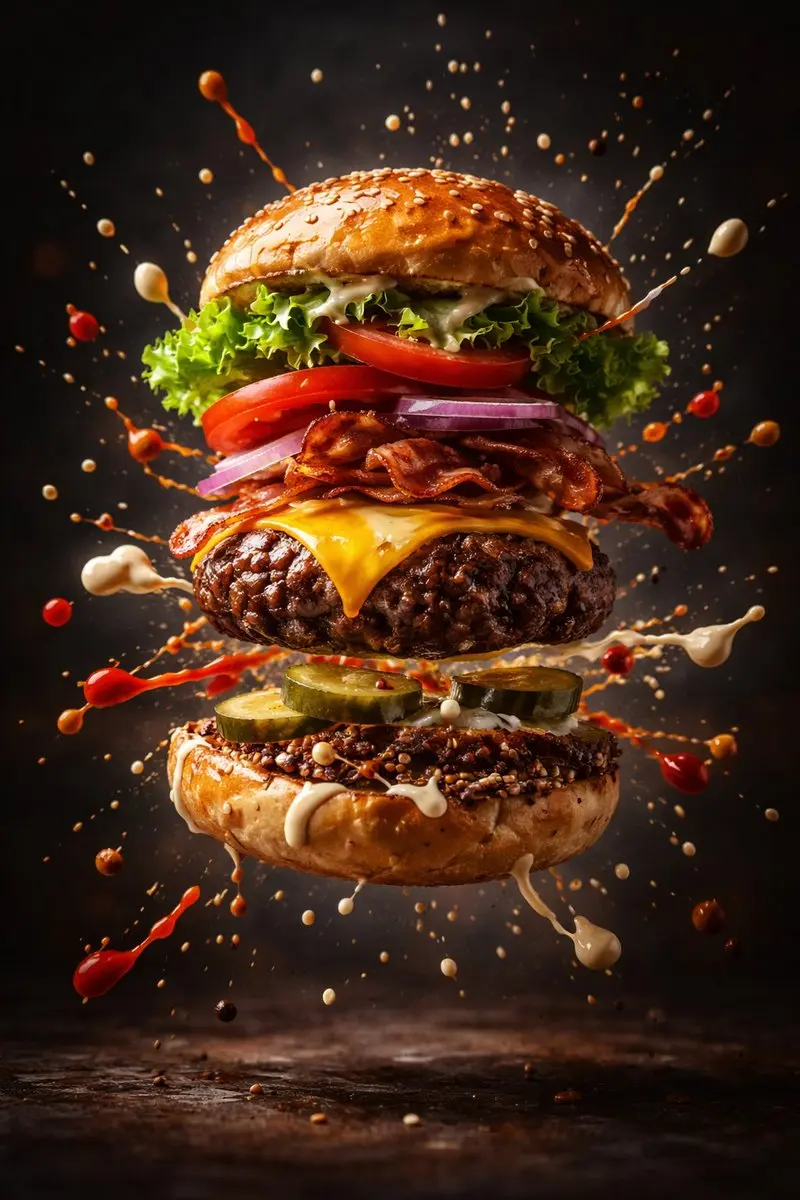
中文提示词
python import physics_engine as cinematic from studio_lighting import RimLight, SpotLight class GourmetBurger: def __init__(self): self.state = "assembled" self.ingredients = [ "toasted_brioche_bun", "wagyu_patty", "molten_cheddar", "crispy_lettuce", "heirloom_tomato", "secret_sauce_droplets" ] def trigger_explosion(self): """ Executes the slow-motion deconstruction effect. """ self.state = "mid-air_burst" for item in self.ingredients: # Applying physics for the "flying" effect item.apply_force(direction="outward", velocity="slow_motion") item.render_texture(quality="hyper_detailed") # Suspends liquid particles in 3D space cinematic.suspend_fluids(type="sauce", density="high_viscosity") # Environment Configuration scene = cinematic.Scene(background="dark_studio_charcoal") scene.add_lighting([ RimLight(intensity=0.8, color="warm_gold"), SpotLight(target="patty_texture", focus="ultra_sharp") ]) # Execute the render burger = GourmetBurger() burger.trigger_explosion() render_output = scene.capture(style="cinematic_advertising", realistic=True)
English Prompt
import physics_engine as cinematic from studio_lighting import RimLight, SpotLight class GourmetBurger: def __init__(self): self.state = "assembled" self.ingredients = [ "toasted_brioche_bun", "wagyu_patty", "molten_cheddar", "crispy_lettuce", "heirloom_tomato", "secret_sauce_droplets" ] def trigger_explosion(self): """ Executes the slow-motion deconstruction effect. """ self.state = "mid-air_burst" for item in self.ingredients: # Applying physics for the "flying" effect item.apply_force(direction="outward", velocity="slow_motion") item.render_texture(quality="hyper_detailed") # Suspends liquid particles in 3D space cinematic.suspend_fluids(type="sauce", density="high_viscosity") # Environment Configuration scene = cinematic.Scene(background="dark_studio_charcoal") scene.add_lighting([ RimLight(intensity=0.8, color="warm_gold"), SpotLight(target="patty_texture", focus="ultra_sharp") ]) # Execute the render burger = GourmetBurger() burger.trigger_explosion() render_output = scene.capture(style="cinematic_advertising", realistic=True)
跑通这条提示词,哪种方式最省?
| 方式 | 成本 | 适合谁 |
|---|---|---|
| IMGPRD 演练场在线直出 | ¥0.38/张起,注册送 ¥1 可白嫖首张 | 偶尔出图、先试效果 |
| 买 ChatGPT Plus 独享月卡 | ¥150/月不限量(商城实时价) | 每天批量出图、跑生产提示词 |
| Claude Pro 礼品卡 | 商城明码标价,自动发卡秒到账 | 长提示词 / 分镜一致性工作流 |
演练场模型定价:GPT Image 2(均衡) ¥0.38/张,GPT Image 2.5 Flare ¥0.48/张,GPT Image 2.5 Sunburst ¥0.48/张(价格随上游同步,以 /api-pricing 为准)